Who it's for · The problem it solves
Who it's for
Any Odoo database with customers, suppliers or contacts in the Netherlands or Belgium.
The problem it solves
Hand-typed addresses lead to typos, failed deliveries and returned invoices. Here you type the postcode and house number, and the official address registers fill in the rest.
Typing addresses by hand leads to typos and returned post. This module fills Dutch and Belgian partner addresses in Odoo from the official open government address services: enter the postcode and house number, and street, city and country are filled in. No account, no API key, no usage fees.
What it does
Netherlands via PDOK
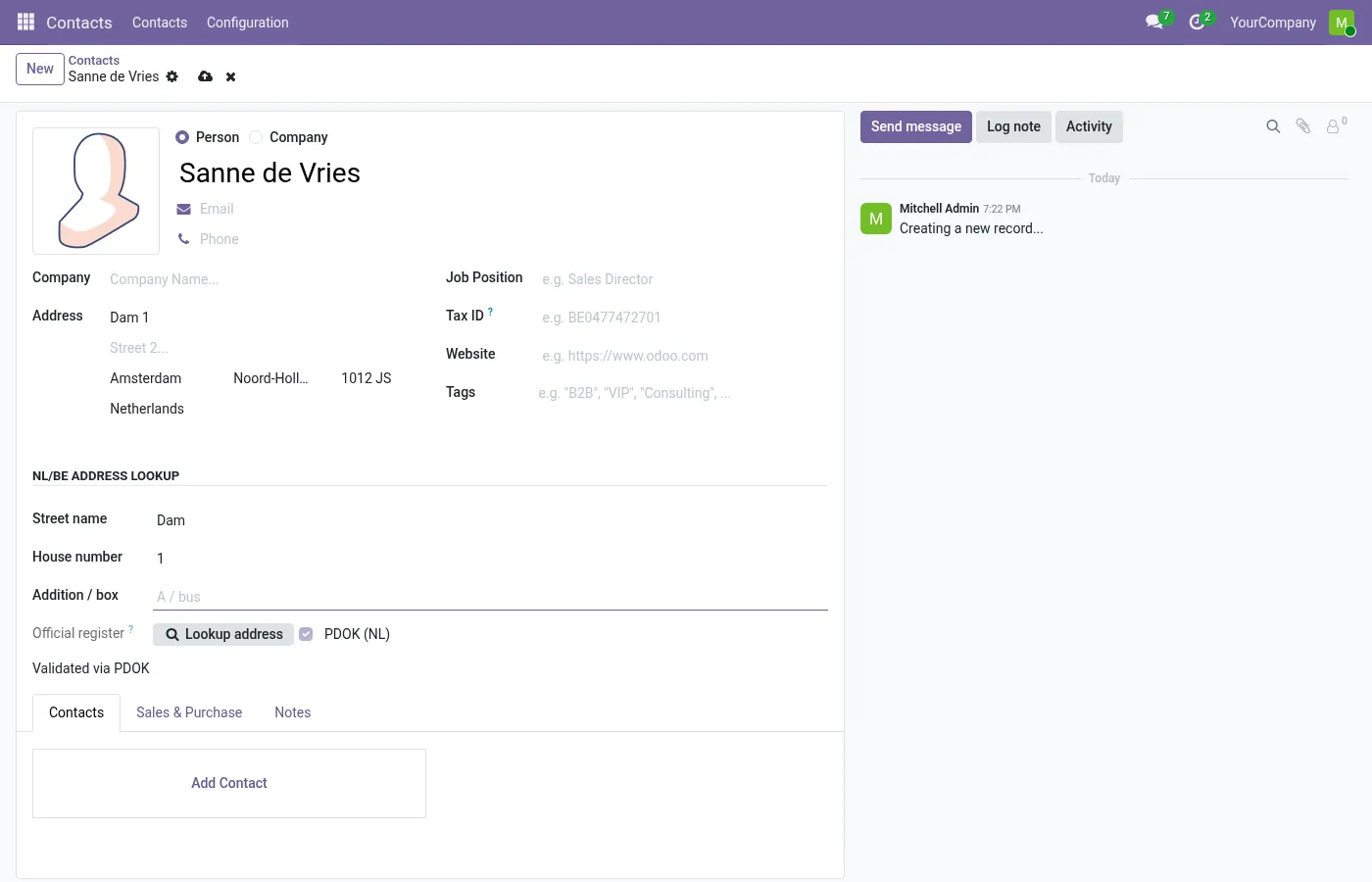
Enter a Dutch postcode and house number (with optional letter or addition). The PDOK Locatieserver, which publishes the BAG address register, fills street, city, province and country.
Belgium via BeST
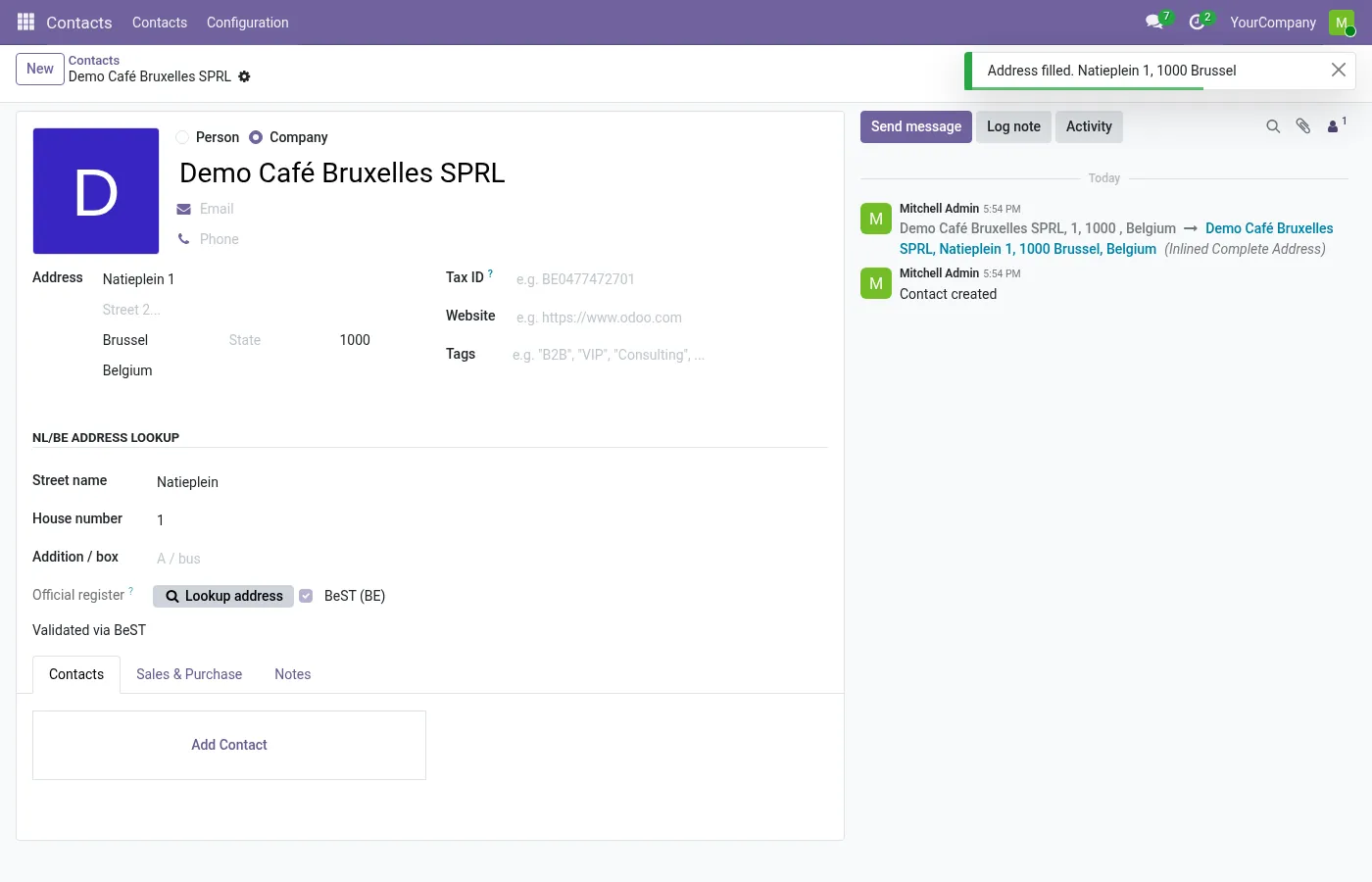
Enter a Belgian postcode and house number (with optional box). Street and municipality come from the BOSA BeST open API, which combines the regional address registers.
Fills while you type
As soon as postcode and house number are complete, the address is filled in. A Dutch postcode sets the country if it is still empty. Text in the second address line is never overwritten.
Validation flag and source
A successful lookup marks the address as validated and records whether it came from PDOK or BeST. Changing postcode, house number or country clears the flag.
Cache, timeout and retries
Lookups are cached per company. Temporary errors are retried briefly. If the service is unreachable you get a clear message and can still type the address.
Per-country switches
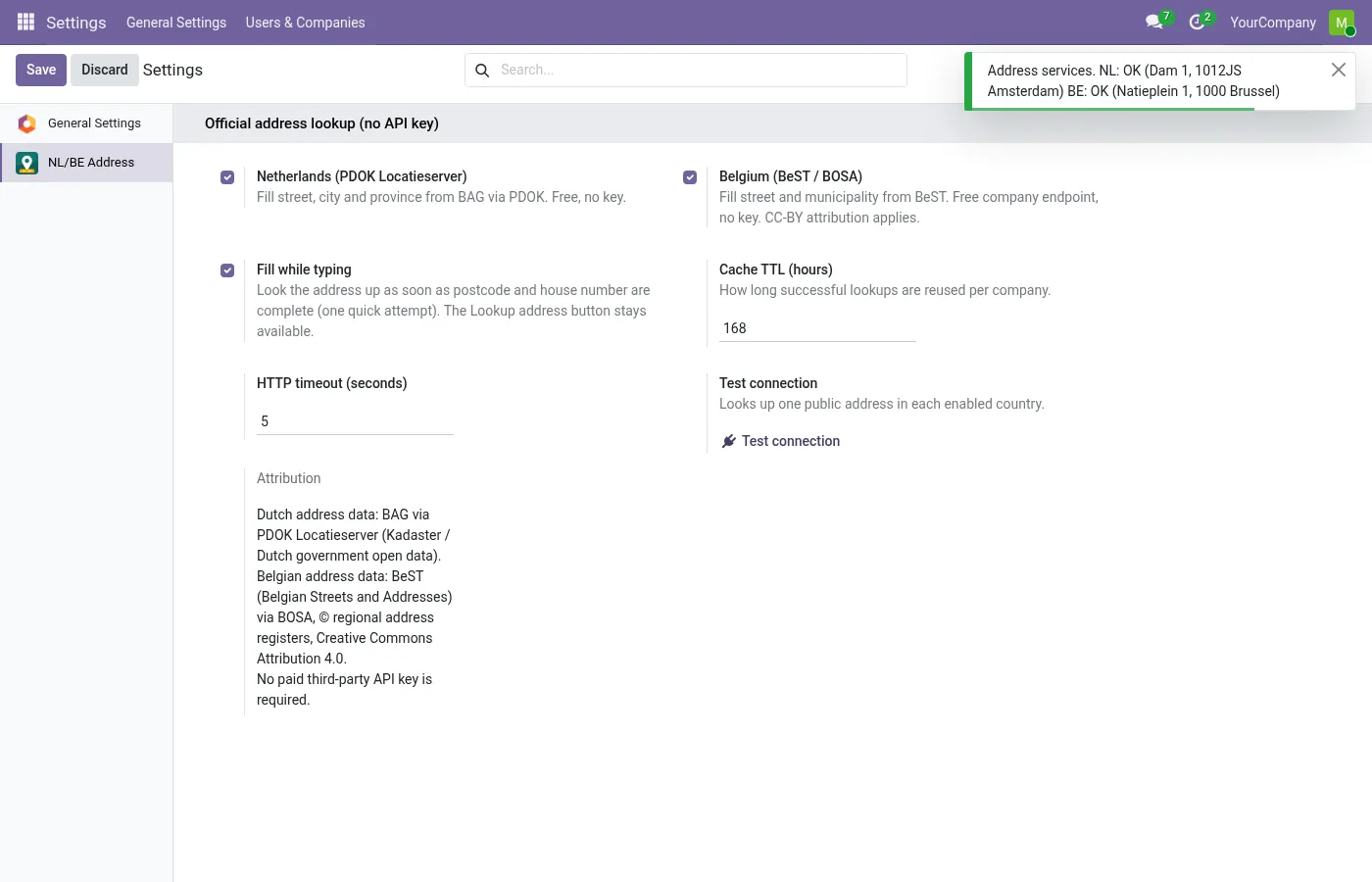
Enable the Netherlands and/or Belgium, set cache lifetime and timeout, and choose whether to fill while typing or only on the button.
Before you start
- Your Odoo server needs outgoing HTTPS access to the PDOK and BeST services.
Install
- Buy and download the module for your Odoo version on the Odoo Apps Store, or install it from the Apps menu if your database is linked to your store account.
- Copy the folder
l10n_nl_be_address_lookupinto your addons path (on Odoo.sh: commit it to your repository) and restart Odoo. - In Apps, click Update Apps List, search for Address Lookup and install it. Contacts and Base Address Extended are installed automatically if needed.
Guided setup
- Open Settings › NL/BE Address and enable the Netherlands and/or Belgium.
- Optional: adjust the cache lifetime (default one week), the HTTP timeout, and whether addresses fill while typing or only with the button. The attribution text for BeST data is kept there.
Daily use
- Open a contact and set the country to the Netherlands or Belgium (or leave it empty and type a Dutch postcode such as 1234 AB).
- Enter the postcode and house number, plus letter, addition or box if needed.
- The street and city are filled in automatically. Use Lookup address to look it up again, or when filling while typing is switched off.
Screenshots
All screenshots show fictitious demo data.
FAQ
Do I need an API key or a subscription?
No. The PDOK Locatieserver and the BeST open API do not require a key.
What if the government service is slow or down?
The lookup retries briefly and then shows a message. Nothing blocks saving the contact; you can always type the address by hand.
Is website checkout or Point of Sale included?
No. This version fills addresses on contacts in the backend (customers, suppliers, anything that is a partner).
Other countries?
Only the Netherlands and Belgium. For other countries the button explains that and leaves the address untouched.
Which licence covers the data?
BeST data is published under Creative Commons Attribution 4.0; the attribution text is in Settings. PDOK publishes the BAG as open data.
Is any data sent to Normalane?
No. Lookups go directly from your Odoo server to PDOK (NL) or BeST (BE), and only the postcode, house number, addition or box (and for Belgium the street name if filled) are sent, never names or other contact data.
Does it work on Odoo Online?
No. Odoo Online does not allow third-party modules. Use Odoo.sh or an on-premise installation.
How do I install it?
Buy it for your Odoo version and download the zip from the store (or later from your orders page). Copy the folder into your addons path, update the apps list and install. On Odoo.sh, commit the folder to your repository. The Install section has every step.
What happens when I upgrade Odoo?
Since Odoo 13 the Odoo Apps Store sells each Odoo version of a module separately, so a new major version means buying the module for that version. Bug-fix updates within your version are free: download the latest zip from your orders page and replace the folder. Email us before a major upgrade and we will share any migration notes.
Does it work with several companies?
Yes. Settings and the lookup cache are kept per company.
How quickly do you answer support?
Email support@normalane.com or use the support button on your Odoo Apps Store orders page. A person reads every message and replies on working days (CET). Bug fixes for the purchased version are free.
Ready to use Address Lookup NL/BE?
€15, one-time, per Odoo version. Bought and downloaded on the Odoo Apps Store.
In het Nederlands
Vul Nederlandse en Belgische adressen in Odoo aan op basis van postcode en huisnummer, via de open overheidsdiensten PDOK (BAG) en BeST. Geen API-sleutel, geen abonnement, geen kosten per opvraging.
Need help?
Email support@normalane.com with your Odoo version and edition (Community or Enterprise). Bug fixes for the purchased Odoo version are free.
Independent module, not affiliated with or endorsed by Kadaster, PDOK, BOSA or the regional address registers or Odoo S.A.