Who it's for · The problem it solves
Who it's for
US companies on Odoo that pay contractors and file Forms 1099-NEC or 1099-MISC, and their bookkeepers.
The problem it solves
FIRE e-filing ends in November 2026 and IRIS takes over. Rebuilding paid amounts per contractor in a spreadsheet and retyping W-9 data is slow and error-prone. This module adds up what you paid, checks the TINs and creates the IRIS CSV and the recipient copies.
If you pay contractors in the US, you report those payments on Form 1099-NEC (and some on 1099-MISC). The IRS is phasing out its FIRE system: from January 2027 information returns are e-filed through IRIS. This module adds up what you actually paid each vendor in Odoo, checks the W-9 data and creates the CSV file you upload in the IRIS Taxpayer Portal, plus the recipient copies.
What it does
Amounts actually paid
Cash basis: a bill counts in the year you pay it, including partial payments and vendor refunds. Card and payment-app journals can be left out, because those payments belong on the processor's Form 1099-K.
Thresholds per tax year
$600 up to tax year 2025 and $2,000 for payments made in 2026; $10 for royalties, $600 for attorney gross proceeds, and any amount when federal income tax was withheld. The new 2026 boxes (cash tips, TTOC, overtime) can be entered.
IRIS CSV file
One file per form and tax year, at most 250 recipients per file as the portal requires (a ZIP of parts above that). Tax year 2025 uses a built-in layout tested against the IRS TY2025 formatting guidelines.
W-9 data and TIN checks
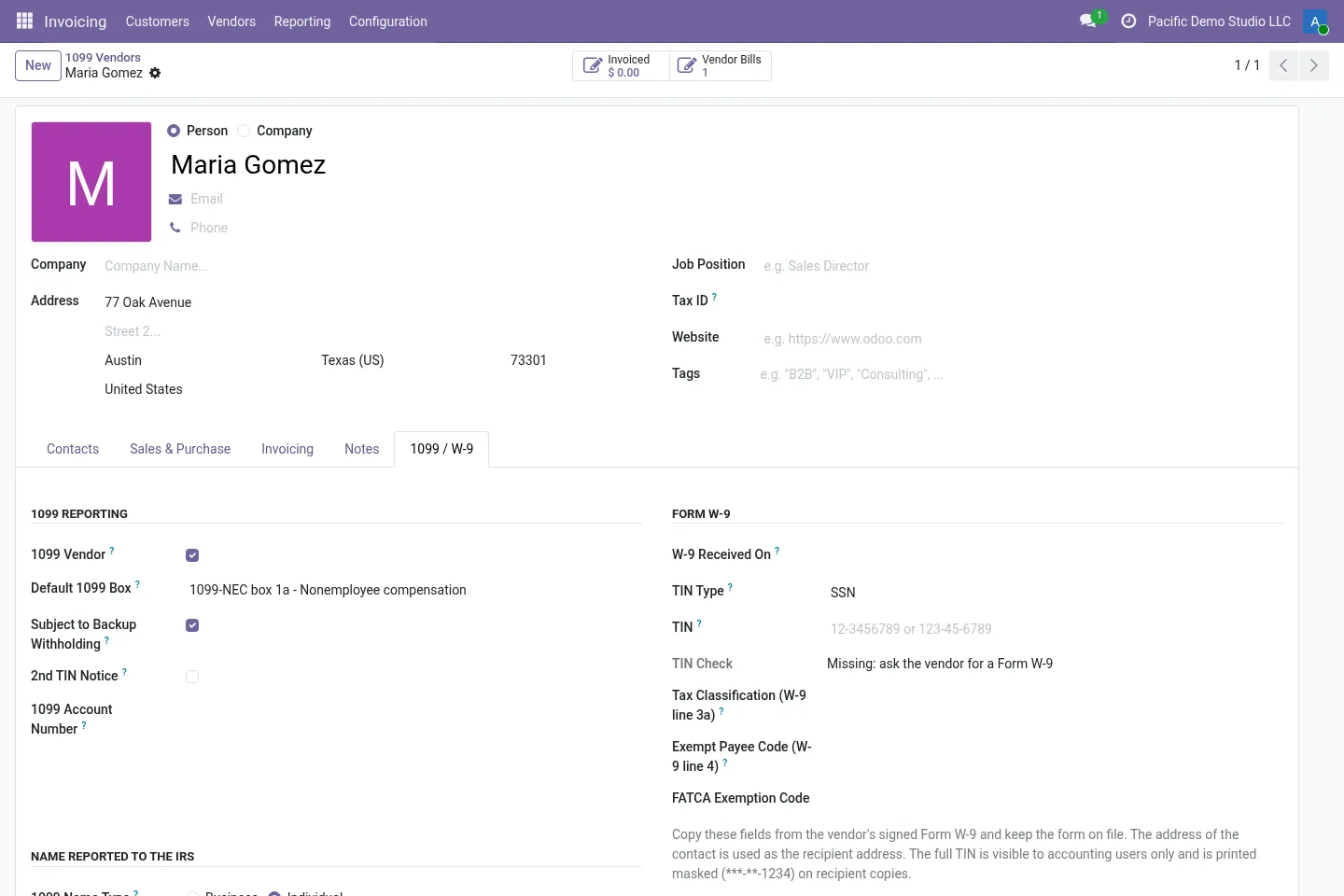
TIN type and number, legal and business name, tax classification, exempt payee and FATCA codes, W-9 date. SSN, ITIN and EIN format rules are checked; the full TIN is visible to accounting users only.
Backup withholding
Vendors without a TIN or flagged for backup withholding get a 24% reminder on their bills. Withheld amounts go to box 4 and are always reported.
Recipient copies
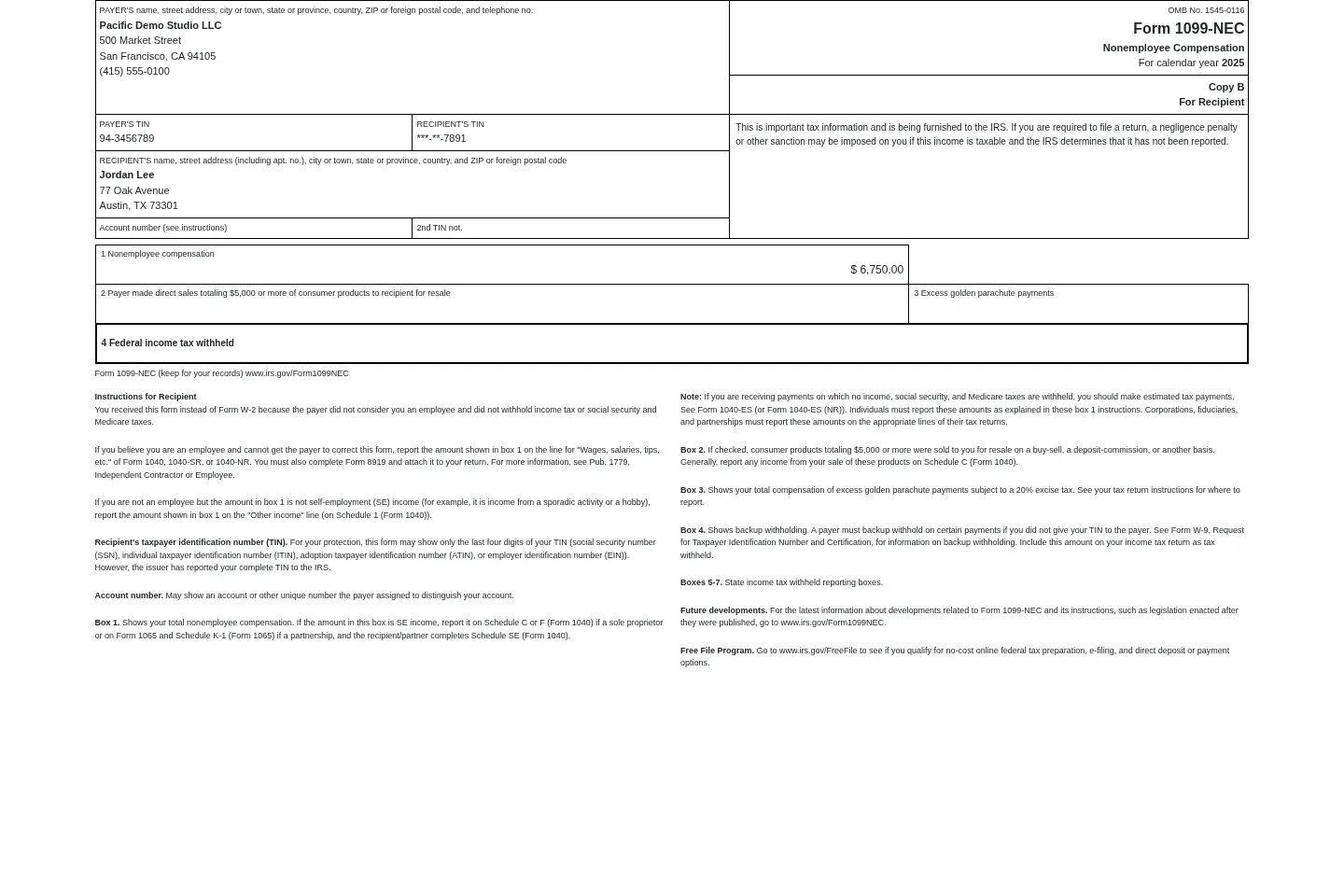
Copy B for each recipient as PDF, with the box captions, the recipient instructions and the recipient TIN truncated (***-**-1234).
Before you start
- You need your company EIN and a complete US company address.
- Filing in IRIS needs an IRIS Transmitter Control Code (TCC), which you request from the IRS.
- For tax year 2026 and later, download the blank 1099-NEC / 1099-MISC CSV template from the IRIS Taxpayer Portal; the module fills it (see the FAQ).
Install
- Buy and download the module for your Odoo version on the Odoo Apps Store, or install it from the Apps menu if your database is linked to your store account.
- Copy the folder
l10n_us_1099_irisinto your addons path (on Odoo.sh: commit it to your repository) and restart Odoo. - In Apps, click Update Apps List, search for 1099 and install it.
Guided setup
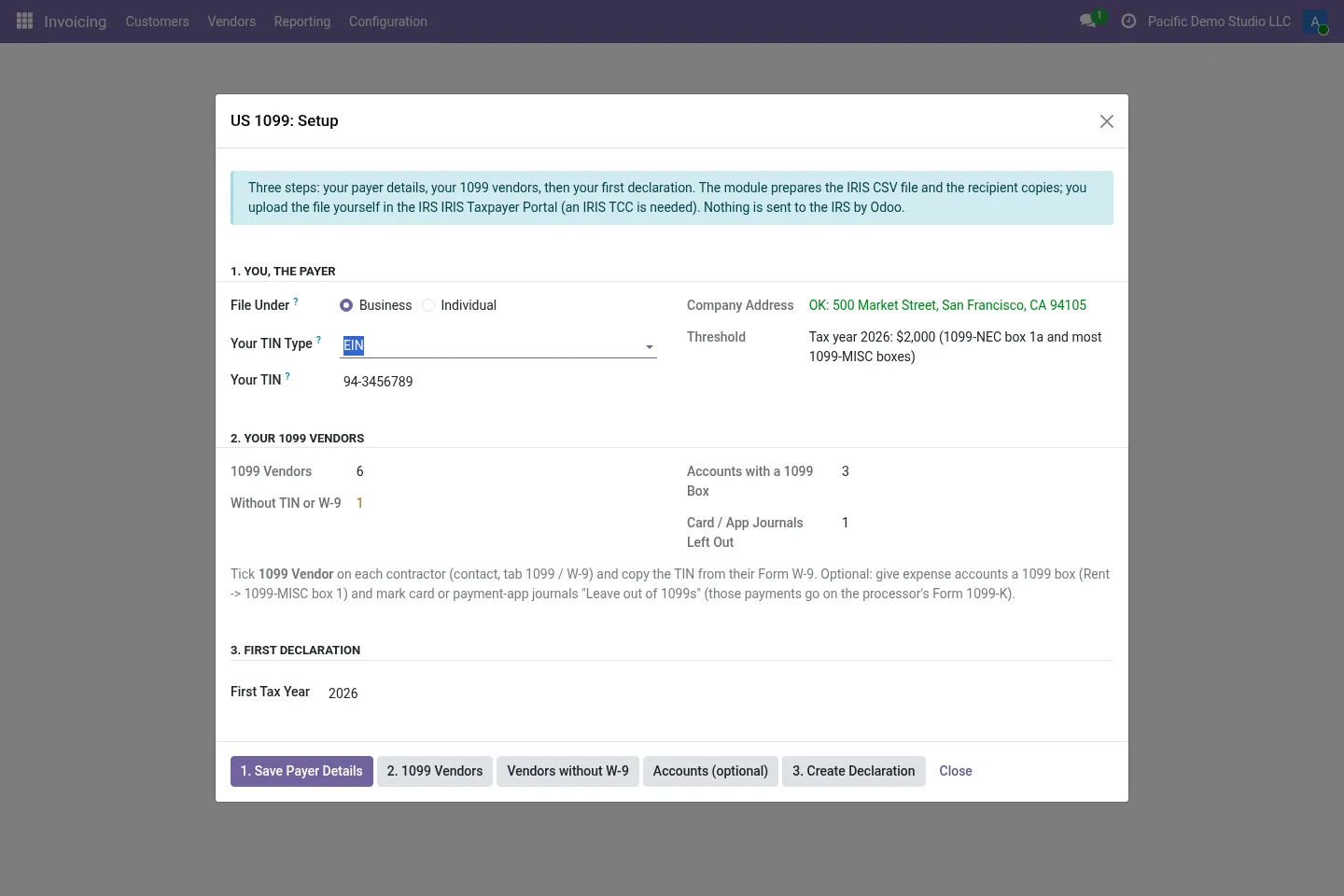
- Open Accounting / Invoicing › Reporting › US 1099 (IRIS) › Setup, enter your EIN and check the company address.
- On each contractor, tick 1099 Vendor and fill the 1099 / W-9 tab from their Form W-9.
- Map expense accounts (or vendors) to 1099 boxes, and the withholding account to “Federal income tax withheld” if you use backup withholding.
Daily use
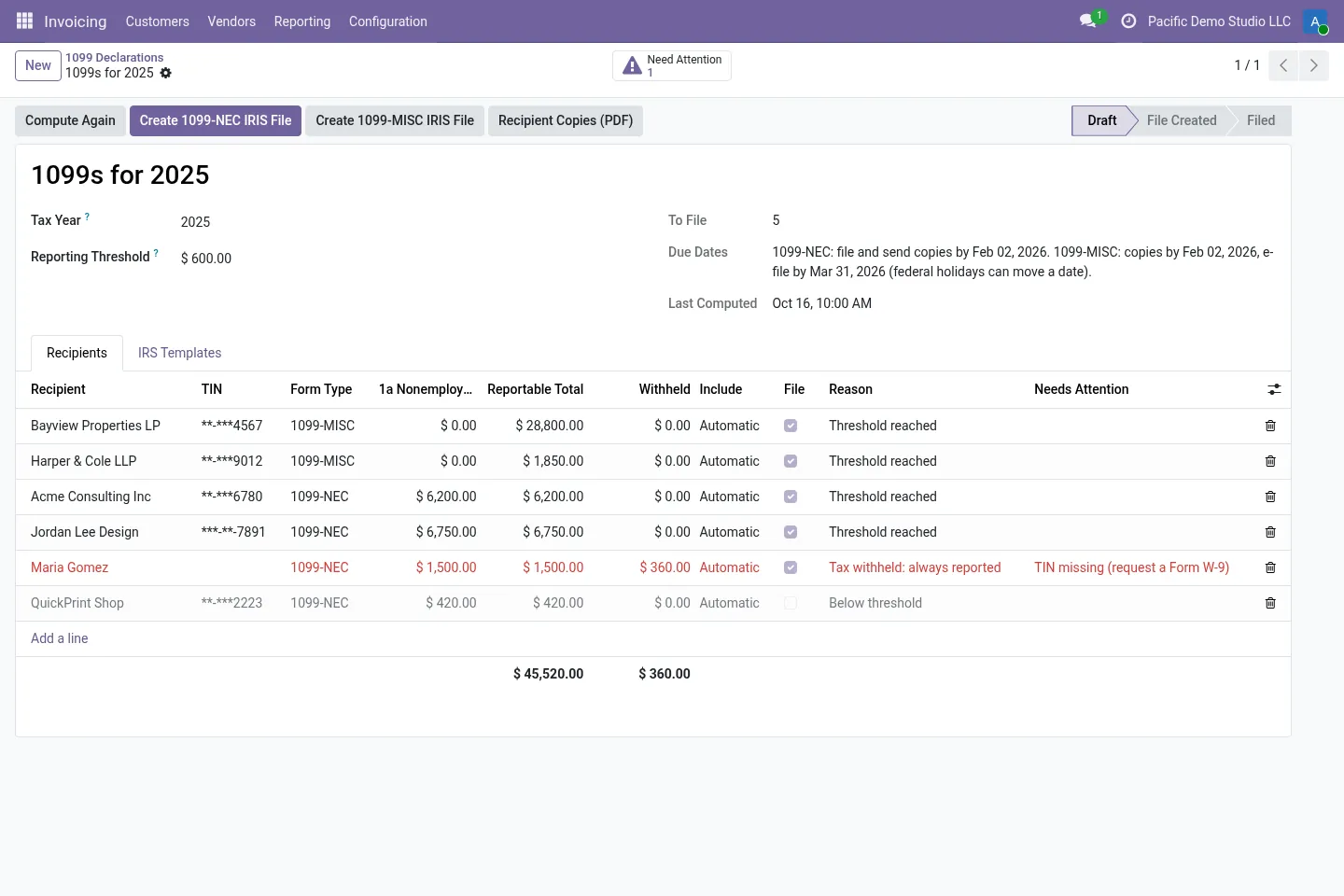
- Go to US 1099 (IRIS) › 1099 Declarations, create the declaration for the tax year and click Compute.
- Review the recipients; fix anything under Need Attention and check Unmatched Payments.
- For 2026 and later, attach the blank IRS template on the IRS Templates tab. Click Create 1099-NEC IRIS File (and Create 1099-MISC IRIS File).
- Upload the file in the IRIS Taxpayer Portal, print or send the Recipient Copies (PDF) and click Mark as Filed.
Screenshots
All screenshots show fictitious demo data.
FAQ
How does tax year 2026 work?
For tax year 2026 and later, the IRS publishes the CSV templates only inside the IRIS Taxpayer Portal. Download the blank 1099-NEC or 1099-MISC template there and attach it to the declaration. The module keeps the template's header row exactly as it is and fills every column it recognises; any column it does not recognise stays empty and is listed on the declaration so you can check it. Tax year 2025 uses the built-in layout from the IRS TY2025 formatting guidelines.
Does it e-file for me?
No. You request the TCC, log in to the IRIS Taxpayer Portal, upload and submit the files and keep the acknowledgements. IRIS A2A (XML) transmission is not included.
What about state filings?
State boxes can be filled in. State filings outside the Combined Federal/State Filing program stay with you.
Are holidays taken into account in the due dates?
No. Federal holidays are not considered in the due dates shown, so check the IRS calendar.
Is it tax advice?
No. The module follows the published IRS instructions and IRIS guides. You or your tax professional remain responsible for what is filed.
Does it work on Odoo Online?
No. Odoo Online does not allow third-party modules. Use Odoo.sh or an on-premise installation.
Does it work on Odoo Enterprise?
It is tested and listed on Community. It only depends on Accounting / Invoicing, but we have not tested it on Enterprise, so we do not claim it. Planning to use Enterprise? Email support@normalane.com before you buy.
How do I install it?
Buy it for your Odoo version and download the zip from the store (or later from your orders page). Copy the folder into your addons path, update the apps list and install. On Odoo.sh, commit the folder to your repository. The Install section has every step.
What happens when I upgrade Odoo?
Since Odoo 13 the Odoo Apps Store sells each Odoo version of a module separately, so a new major version means buying the module for that version. Bug-fix updates within your version are free: download the latest zip from your orders page and replace the folder. Email us before a major upgrade and we will share any migration notes.
Does it work with several companies?
Yes. Data is kept per company with Odoo's standard multi-company rules.
How quickly do you answer support?
Email support@normalane.com or use the support button on your Odoo Apps Store orders page. A person reads every message and replies on working days (CET). Bug fixes for the purchased version are free.
Ready to use US 1099-NEC IRIS Export?
€19, one-time, per Odoo version. Bought and downloaded on the Odoo Apps Store.
Need help?
Email support@normalane.com with your Odoo version and edition (Community or Enterprise). Bug fixes for the purchased Odoo version are free.
Independent module, not affiliated with or endorsed by the IRS or Odoo S.A.