Who it's for · The problem it solves
Who it's for
US companies on Odoo that pay vendors by ACH through their bank's online banking.
The problem it solves
Typing vendor payments into the bank portal one by one is slow, and a wrong routing number comes back days later as a return. This module creates one NACHA file from the payments you confirmed in Odoo and checks it first.
Most US banks accept vendor payments as a NACHA ACH file uploaded in online banking. This module turns the vendor payments you confirm in Odoo into that file, with PPD and CCD credits, checks every routing number and re-reads the file after it is made, so errors are caught before your bank sees them.
What it does
PPD and CCD credits
One batch per entry class: CCD for business accounts, PPD for personal accounts, checking or savings. Optional addenda record with the payment memo (CCD+ / PPD+) so vendors see which bills you paid.
Complete file structure
File header, batch headers, entries, batch and file control records with counts, entry hash and totals; 94-character records padded to blocks of 10.
Routing number check
The ABA check digit is verified on your bank and on every vendor bank account, so a typo is caught in Odoo instead of coming back as a return.
Balanced or unbalanced
Unbalanced files by default. If your bank asks for balanced files, the module adds one offsetting debit to your own account per batch.
Your bank's settings
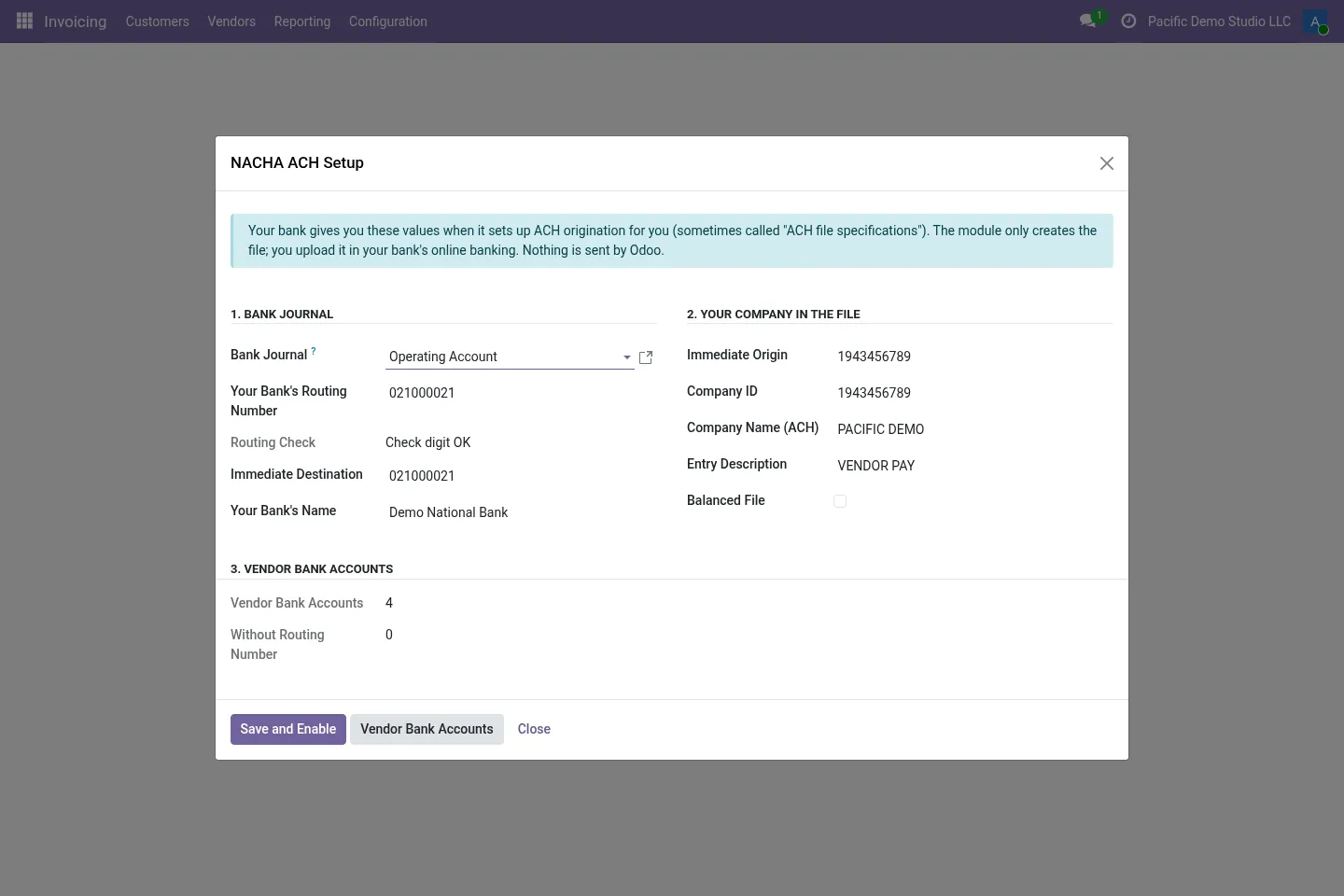
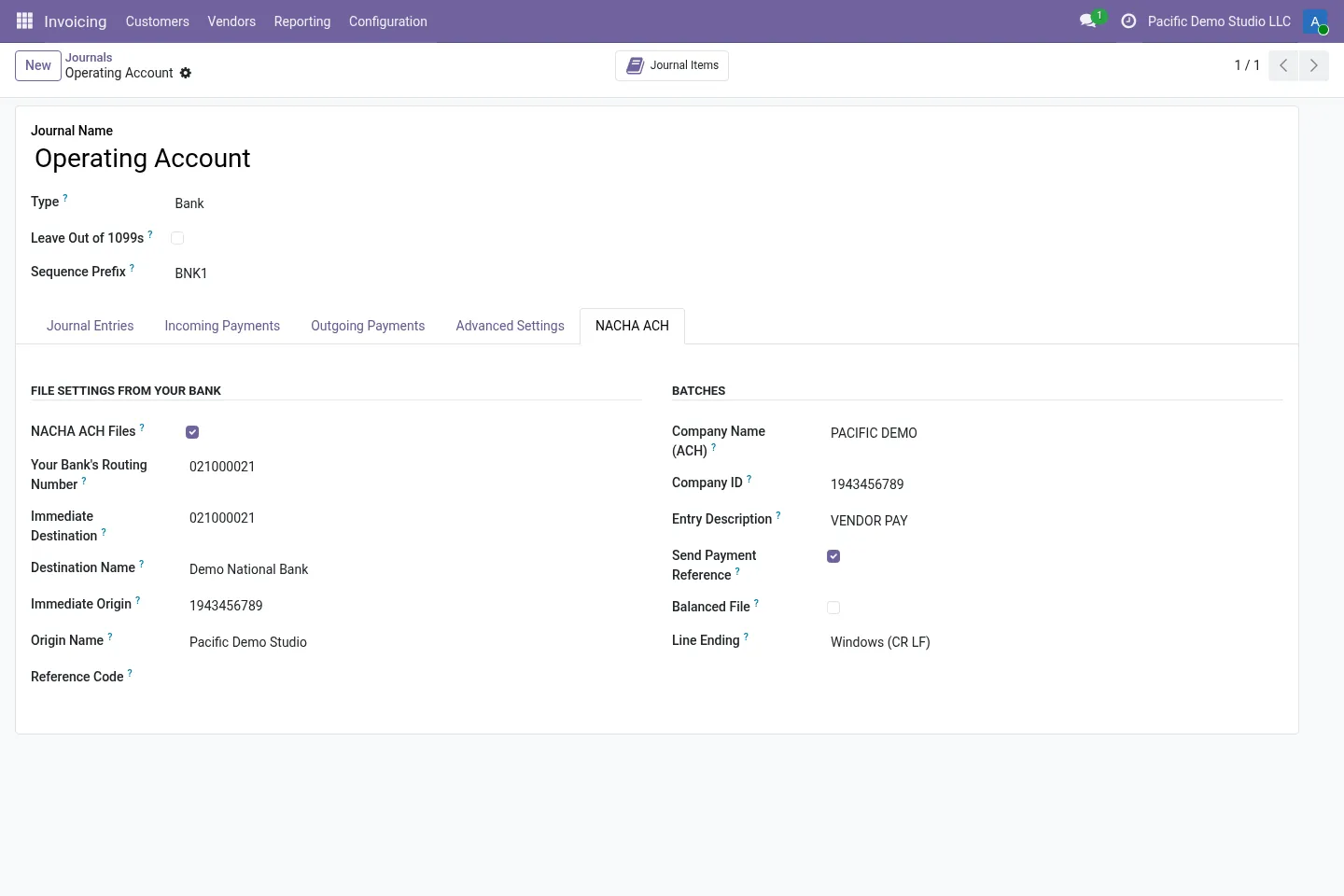
Immediate destination and origin, company ID, company name, entry description and line ending per bank journal. The file ID modifier moves from A to B, C… when you make several files on one day.
Checks before upload
Missing bank accounts or routing numbers, unconfirmed payments, weekend or past effective dates and Same Day ACH entries above $1,000,000 are flagged. Every file is re-read and its totals verified.
Before you start
- You need an ACH origination agreement with your bank, and the values from your bank's ACH specifications (immediate destination and origin, company ID).
- Each vendor needs a bank account with its routing number in Odoo.
- Test a first file with your bank before paying vendors with it.
Install
- Buy and download the module for your Odoo version on the Odoo Apps Store, or install it from the Apps menu if your database is linked to your store account.
- Copy the folder
l10n_us_nacha_achinto your addons path (on Odoo.sh: commit it to your repository) and restart Odoo. - In Apps, click Update Apps List, search for NACHA and install it.
Guided setup
- Open Accounting / Invoicing › Configuration › NACHA ACH Setup, choose the bank journal and enter the values from your bank.
- Add the routing number on each vendor bank account. Its ABA check digit is verified.
Daily use
- Register and confirm vendor payments on the NACHA bank journal.
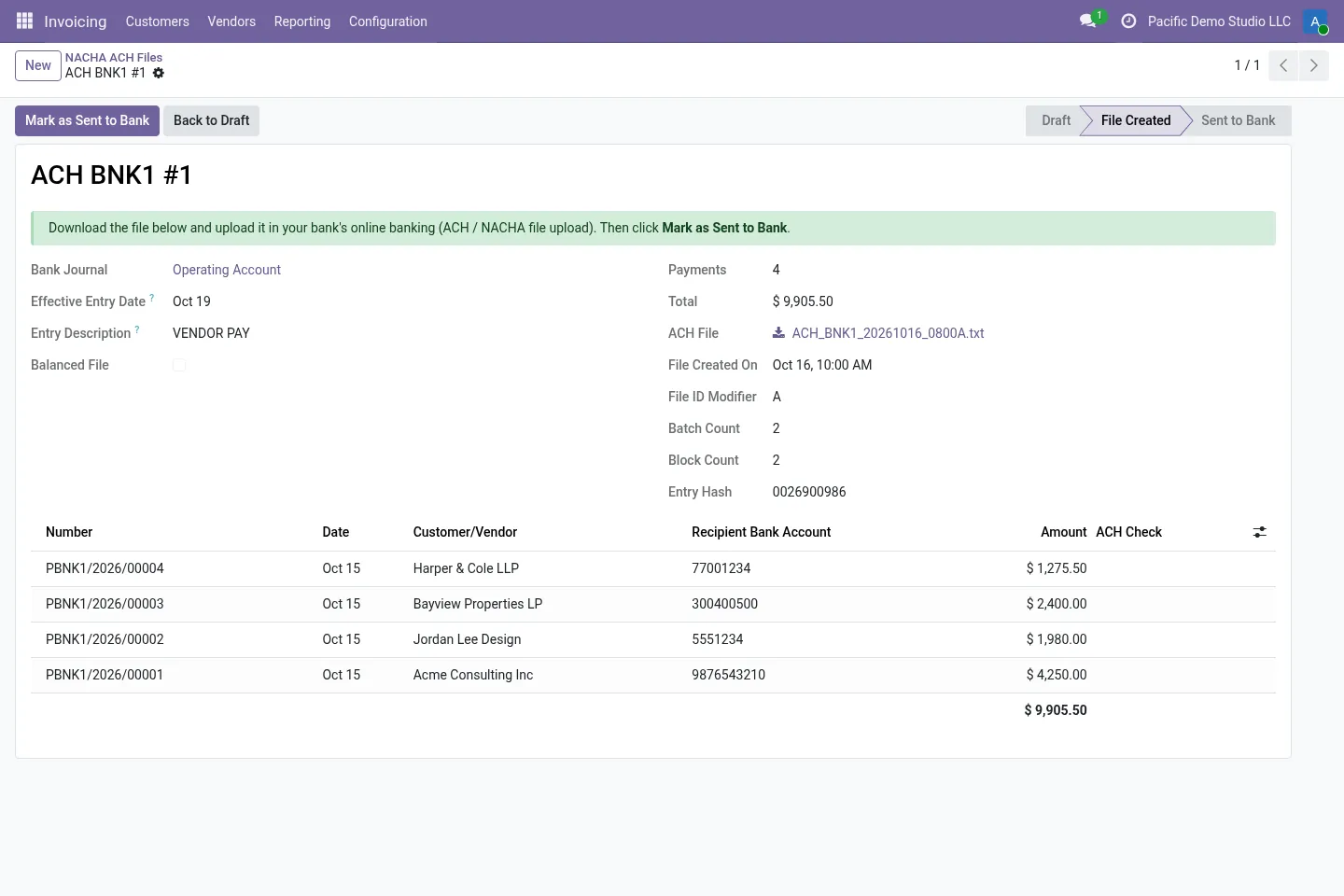
- In Vendors › Payments, select them and use Action › Create NACHA ACH File.
- Check the effective date and click Create ACH File. Download the file and upload it in your bank's portal.
- Click Mark as Sent to Bank, then reconcile the bank statement as usual.
Screenshots
All screenshots show fictitious demo data.
FAQ
Is CTX supported?
No. CTX (X12 820 addenda), IAT, prenotes and debits to customers are not included. The module makes PPD and CCD credits, with an optional 05 addenda (PPD+ / CCD+).
Are bank holidays checked for the effective date?
No. The module warns about weekend and past effective dates, but Federal Reserve holidays are not checked. Pick a business day yourself.
Does it connect to my bank?
No. You download the file and upload and approve it in your bank's portal. Nothing is sent from Odoo.
My bank uses different values. Which wins?
Your bank's ACH specifications. The setup suggests common defaults (for example a company ID of “1” plus your EIN), and every value can be changed per bank journal.
Does it work on Odoo Online?
No. Odoo Online does not allow third-party modules. Use Odoo.sh or an on-premise installation.
Does it work on Odoo Enterprise?
It is tested and listed on Community. It only depends on Accounting / Invoicing, but we have not tested it on Enterprise, so we do not claim it. Planning to use Enterprise? Email support@normalane.com before you buy.
How do I install it?
Buy it for your Odoo version and download the zip from the store (or later from your orders page). Copy the folder into your addons path, update the apps list and install. On Odoo.sh, commit the folder to your repository. The Install section has every step.
What happens when I upgrade Odoo?
Since Odoo 13 the Odoo Apps Store sells each Odoo version of a module separately, so a new major version means buying the module for that version. Bug-fix updates within your version are free: download the latest zip from your orders page and replace the folder. Email us before a major upgrade and we will share any migration notes.
Does it work with several companies?
Yes. Data is kept per company with Odoo's standard multi-company rules.
How quickly do you answer support?
Email support@normalane.com or use the support button on your Odoo Apps Store orders page. A person reads every message and replies on working days (CET). Bug fixes for the purchased version are free.
Ready to use US NACHA ACH Payment File?
€24, one-time, per Odoo version. Bought and downloaded on the Odoo Apps Store.
Need help?
Email support@normalane.com with your Odoo version and edition (Community or Enterprise). Bug fixes for the purchased Odoo version are free.
Independent module, not affiliated with or endorsed by Nacha or any bank or Odoo S.A.