Who it's for · The problem it solves
Who it's for
German companies on Odoo that must hand books to the tax auditor as a GoBD/GDPdU data package (Z3 Datenträgerüberlassung), and their tax advisors.
The problem it solves
A tax audit often asks for the books on a data medium in the GoBD format. Building index.xml and the CSV tables by hand is slow and easy to get wrong. This module builds the package from posted journal entries, checks it and gives you a ZIP plus a PDF Prüfbericht.
German tax auditors can request your books on a data medium (Datenträgerüberlassung, access type Z3 under § 147 Abs. 6 AO and the GoBD). This module builds that package from the posted journal entries in Odoo, one fiscal year at a time: an index.xml that follows the Beschreibungsstandard, the CSV tables from the GoBD annex, optional scanned attachments, checks before and after generation, a ZIP with a SHA-256 checksum and a PDF Prüfbericht.
What it does
index.xml + official DTD
A description file in the format of the Beschreibungsstandard für die Datenüberlassung, referencing the unchanged official DTD gdpdu-01-09-2004.dtd, which is shipped in the ZIP next to it.
Seven CSV tables
Buchungsjournal, Sachkonten (opening, debit, credit, closing), Debitoren, Kreditoren, Belege (with references to attached files), Journale and Steuersätze. Format as in the GoBD annex: header line, semicolon, decimal comma, CRLF, double quotes, UTF-8.
Checks before and after
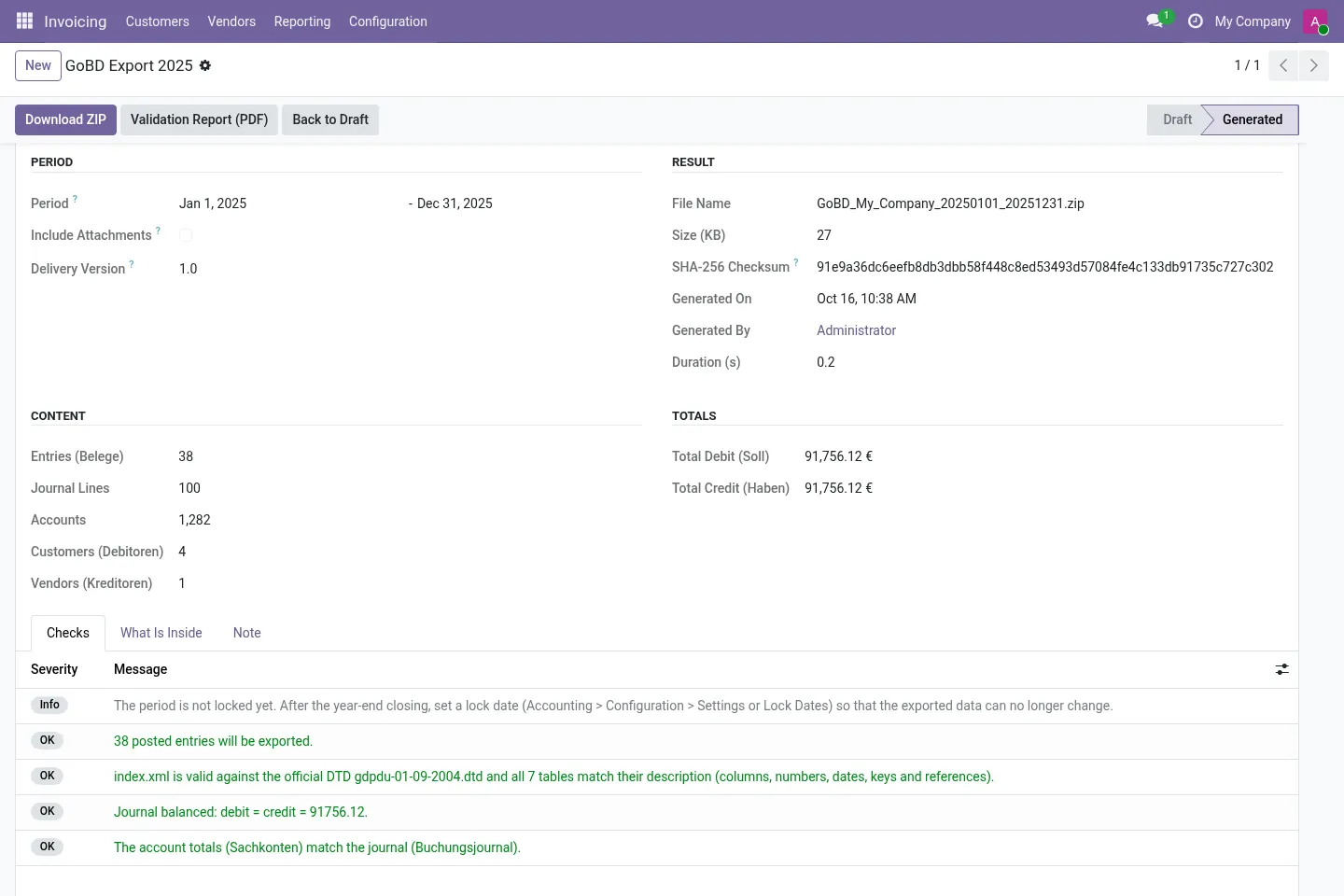
Draft entries, gaps in numbering per journal, lock date and company data before generation; after, index.xml against the DTD, every table re-read against its description, balanced entries and account totals equal to the journal.
Optional attachments
Files attached to journal entries (for example scanned invoices) can go into belege/, with safe file names and a size limit you choose.
ZIP and Prüfbericht
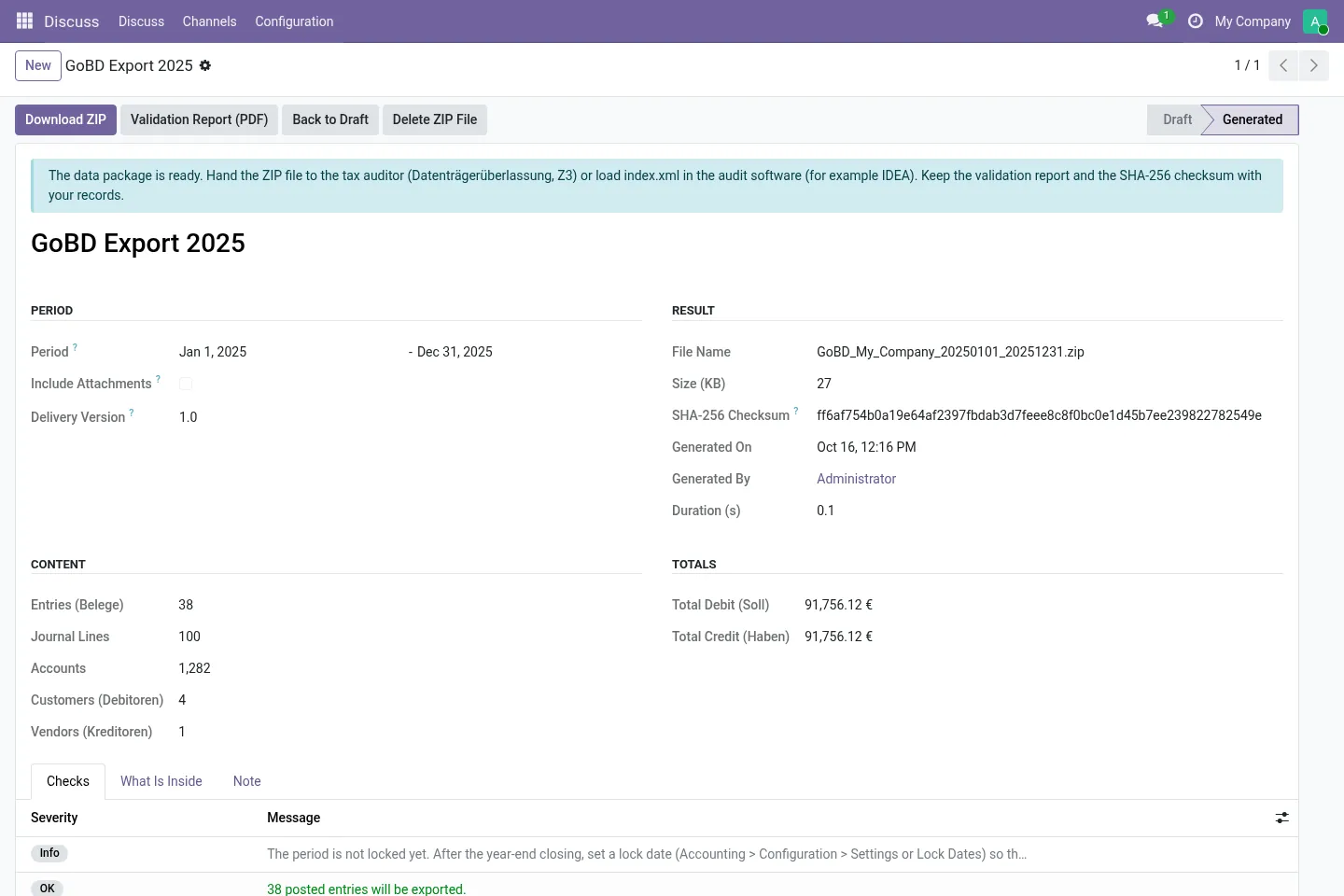
One download with a SHA-256 checksum, plus a PDF validation report with period, counts, totals and the result of every check.
Per fiscal year, per company
The period starts as your last completed Wirtschaftsjahr (also non-calendar years). Each export belongs to one company; record rules keep companies apart.
Before you start
- Close and lock the fiscal year you want to hand over, or know which drafts and numbering gaps remain.
- Have your company name, address and tax identifiers complete in Odoo.
- Handing the file to the auditor and documenting your procedures (Verfahrensdokumentation) stay with you.
Install
- Buy and download the module for your Odoo version on the Odoo Apps Store, or install it from the Apps menu if your database is linked to your store account.
- Copy the folder
l10n_de_gobd_exportinto your addons path (on Odoo.sh: commit it to your repository) and restart Odoo. - In Apps, click Update Apps List, search for GoBD and install it.
Guided setup
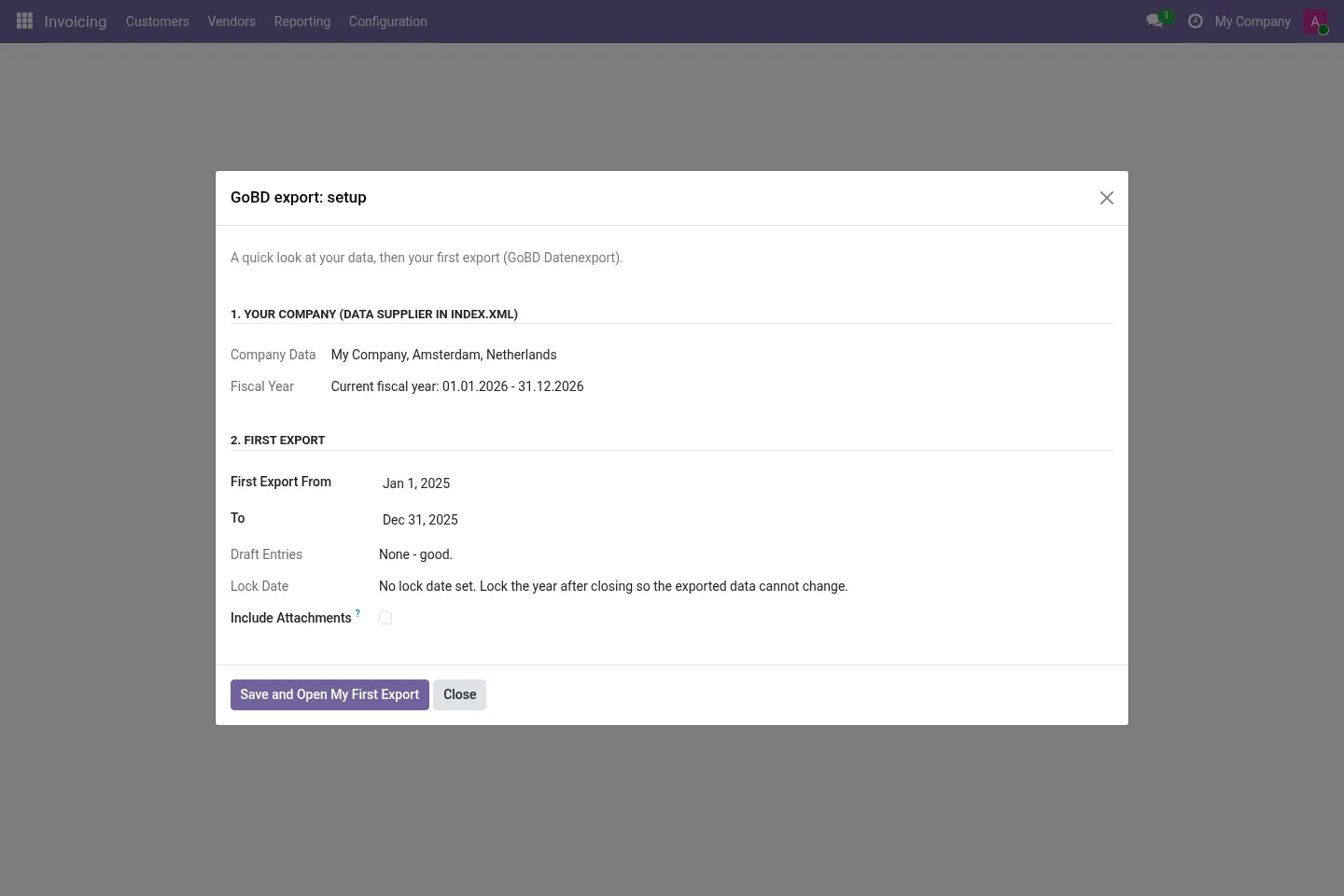
- Open Accounting / Invoicing › Reporting › GoBD Export (GDPdU) › Setup. Check the company data and the first period (your last completed fiscal year), choose whether attachments are included, and save.
- Click Save and Open My First Export: the export opens with the checks already run.
Daily use
- On the export, click Generate Export, then Download ZIP and, if you like, Validation Report (PDF).
- Hand the ZIP to the auditor. When you no longer need a copy, use Delete Generated ZIP Files (the checksum and checks stay on the record).
Screenshots
All screenshots show fictitious demo data.
FAQ
Which rules does it follow?
The GoBD (BMF letter of 28.11.2019 as amended on 11.03.2024 and 14.07.2025), annex on data handover, and the Beschreibungsstandard with the DTD of 01.09.2004. The module is not certified by any authority and is not tax advice. Whether your overall bookkeeping is GoBD compliant also depends on your processes and your Verfahrensdokumentation.
What about direct access (Z1) or indirect access (Z2)?
Those happen in Odoo itself with a read-only user. This module covers the data handover (Z3). DSFinV-K (cash registers) is not covered.
Is the DTD included?
Yes, the official gdpdu-01-09-2004.dtd, unchanged. It is a third-party file and not part of this module's licence.
Does it send data anywhere?
No. Everything runs inside your Odoo. You download the ZIP and hand it over yourself.
Does it work on Odoo Online?
No. Odoo Online does not allow third-party modules. Use Odoo.sh or an on-premise installation.
Does it work on Odoo Enterprise?
It is tested and listed on Community. It only depends on Accounting / Invoicing, but we have not tested it on Enterprise, so we do not claim it. Planning to use Enterprise? Email support@normalane.com before you buy.
How do I install it?
Buy it for your Odoo version and download the zip from the store (or later from your orders page). Copy the folder into your addons path, update the apps list and install. On Odoo.sh, commit the folder to your repository. The Install section has every step.
What happens when I upgrade Odoo?
Since Odoo 13 the Odoo Apps Store sells each Odoo version of a module separately, so a new major version means buying the module for that version. Bug-fix updates within your version are free: download the latest zip from your orders page and replace the folder. Email us before a major upgrade and we will share any migration notes.
Does it work with several companies?
Yes. Data is kept per company with Odoo's standard multi-company rules.
How quickly do you answer support?
Email support@normalane.com or use the support button on your Odoo Apps Store orders page. A person reads every message and replies on working days (CET). Bug fixes for the purchased version are free.
Ready to use DE GoBD Datenexport (GDPdU/IDEA)?
€29, one-time, per Odoo version. Bought and downloaded on the Odoo Apps Store.
Official sources
Need help?
Email support@normalane.com with your Odoo version and edition (Community or Enterprise). Bug fixes for the purchased Odoo version are free.
Independent module, not affiliated with or endorsed by the German tax authorities or any audit software vendor or Odoo S.A.