Who it's for · The problem it solves
Who it's for
German companies on Odoo that file the Zusammenfassende Meldung (EC sales list, § 18a UStG) in ELSTER or BOP.
The problem it solves
Every month or quarter you must report intra-Community supplies on the Zusammenfassende Meldung. Rebuilding the list from invoice exports and retyping VAT numbers is slow. This module sums the invoices, checks the USt-IdNr. values and creates the CSV you import in ELSTER or BOP.
German businesses that make intra-Community supplies must file the Zusammenfassende Meldung (ZM, EC sales list) under § 18a UStG. This module sums posted customer invoices and credit notes per customer VAT number and type of supply (L, D, S), builds the CSV file for the import function of the ZM form in ELSTER and the BZSt online portal (BOP), supports corrections (Berichtigung) and checks every USt-IdNr. before you download.
What it does
Types L, D and S
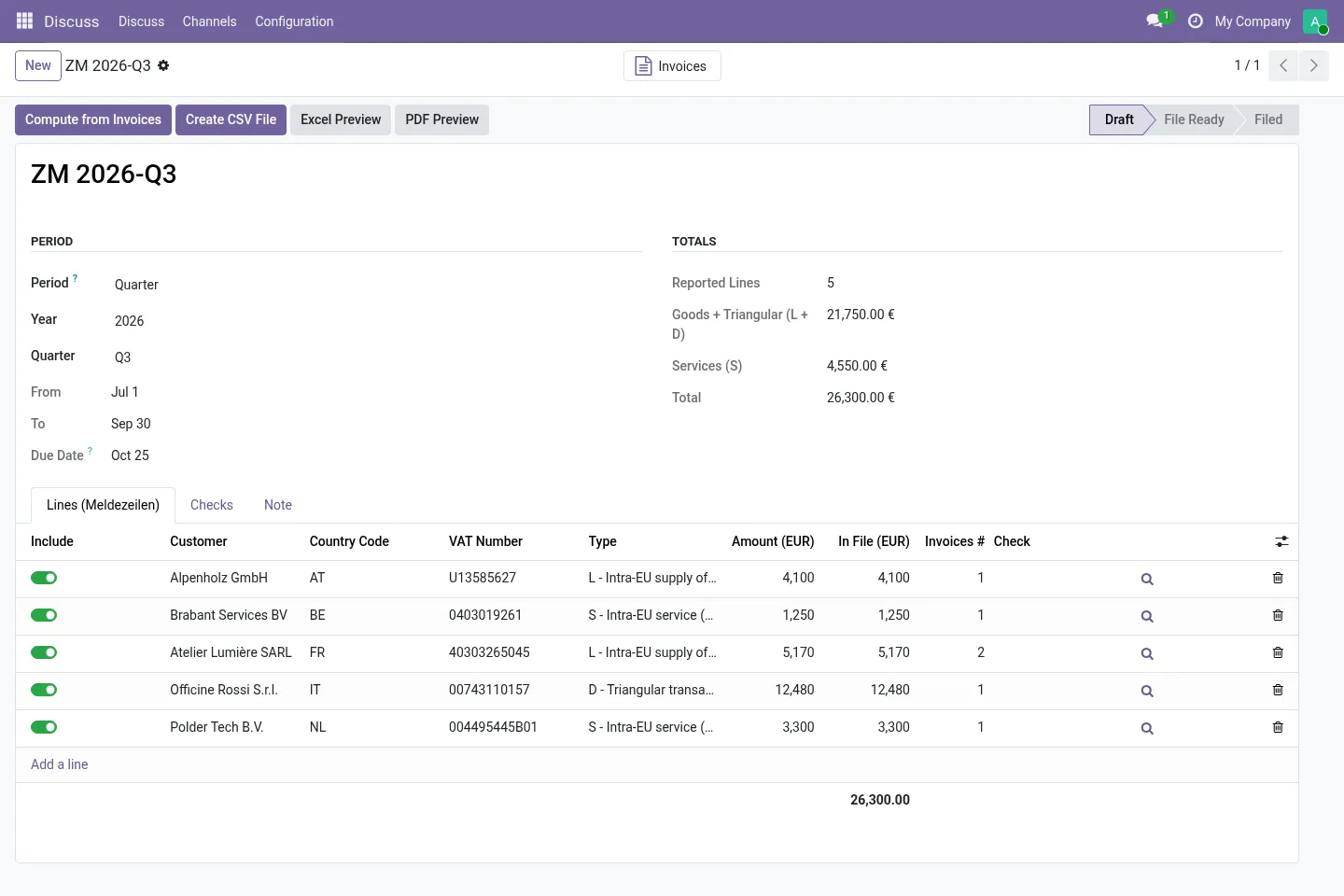
Innergemeinschaftliche Lieferung (L), Dreiecksgeschäft (D, § 25b UStG) and sonstige Leistung (S, § 3a Abs. 2 UStG), one line per customer USt-IdNr. and type, whole euros. With the German chart SKR03/SKR04 the taxes map automatically from VAT return lines 41, 42 and 21.
CSV for ELSTER and BOP
CSV version 3.0 / Excel 3.2.1 in UTF-8, with the official column headers. The file is re-read and checked before download (format, amounts, types, duplicates, max. 1,500 lines). XLSX and PDF previews included.
Corrections (Berichtigung)
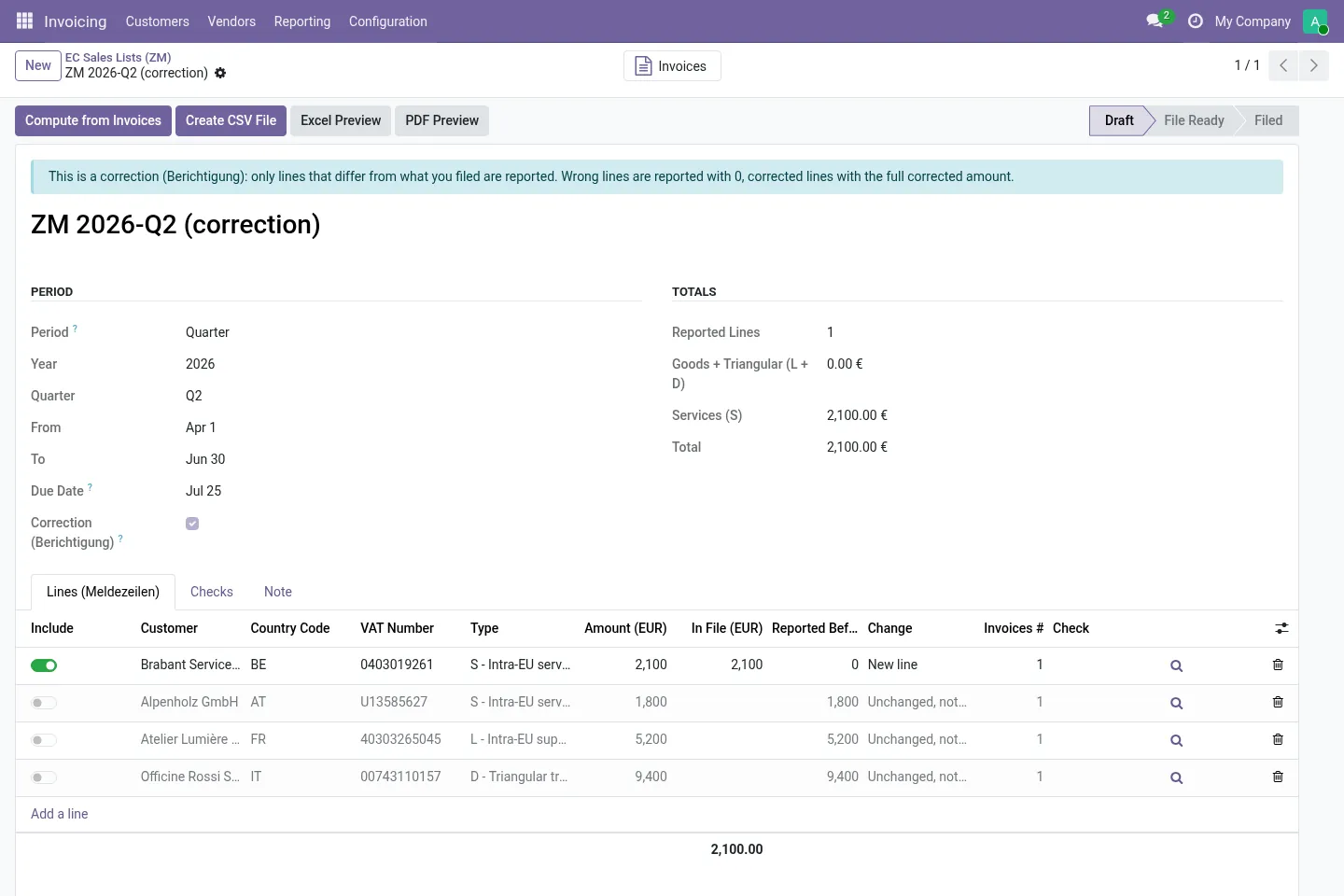
Create Correction compares the period with what you filed and keeps only the lines that change: wrong lines reported with 0, corrected lines with the full corrected total, unchanged lines left out.
USt-IdNr. checks
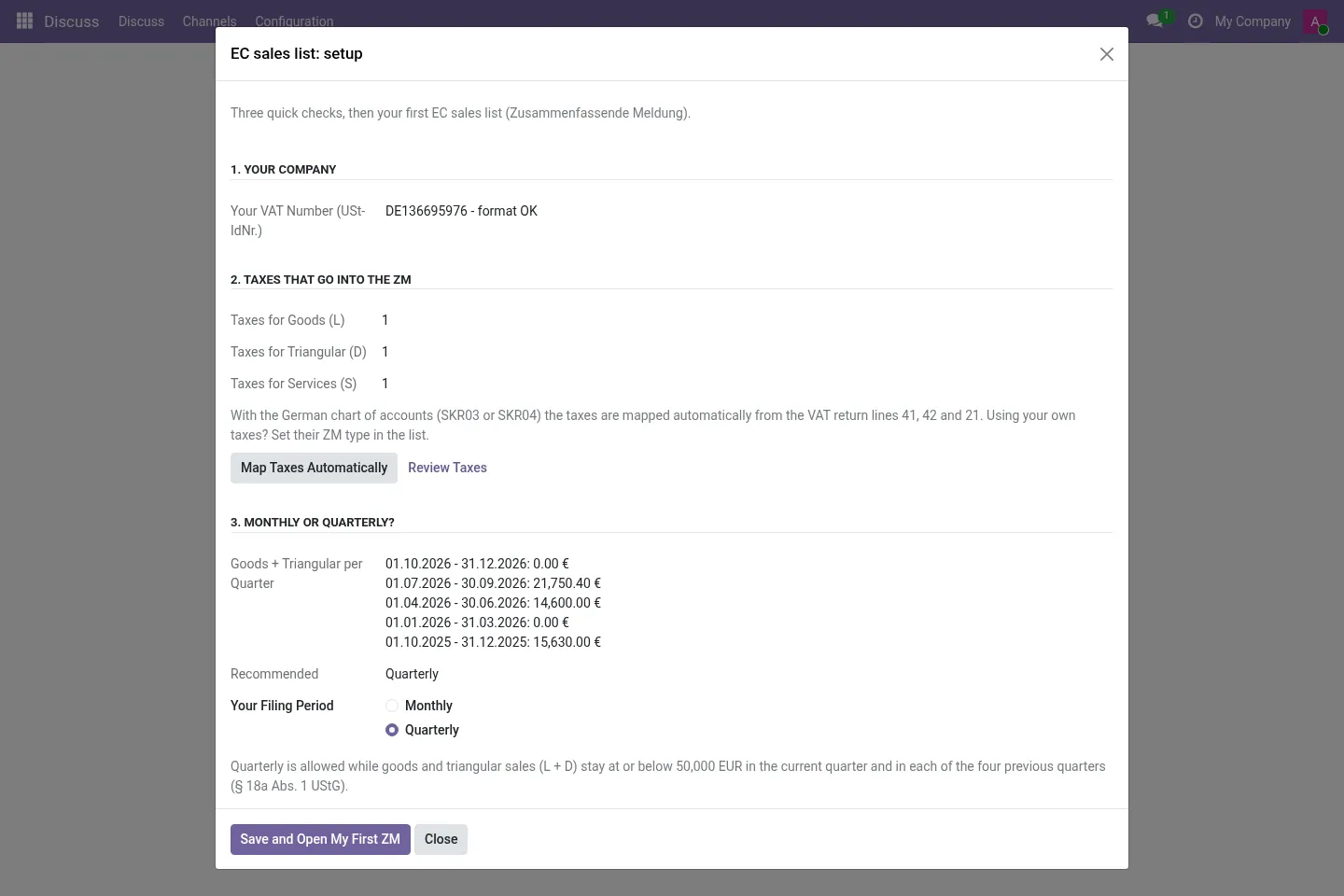
EU country code, allowed characters, length, country structure and check digit (warning only). German numbers, GB after Brexit and XI for goods only are handled.
Monthly or quarterly
Setup shows goods and triangular sales (L + D) of recent quarters and the 50,000 EUR threshold. Every report shows its due date (25th day after the period).
Nothing transmitted
You download the file and import it in ELSTER or BOP yourself. The module does not connect to any authority and does not query the BZSt confirmation service.
Before you start
- Your company needs a German USt-IdNr. in Odoo.
- Customer invoices that belong on the ZM need the right taxes (or a German chart SKR03/SKR04 so mapping is automatic).
- Logging in to ELSTER or BOP, importing and submitting the file stay with you.
Install
- Buy and download the module for your Odoo version on the Odoo Apps Store, or install it from the Apps menu if your database is linked to your store account.
- Copy the folder
l10n_de_zm_csvinto your addons path (on Odoo.sh: commit it to your repository) and restart Odoo. - In Apps, click Update Apps List, search for Zusammenfassende Meldung or ZM and install it.
Guided setup
- Open Accounting / Invoicing › Reporting › EC Sales List (ZM) › Setup. Check your USt-IdNr. and the mapped taxes.
- Choose Monthly or Quarterly and click Save and Open My First ZM: the previous period is computed and opened.
Daily use
- Review the lines, click Create CSV File, download it and load it in the ELSTER or BOP form with Import.
- Click Mark as Filed. For a later correction, open the filed report and use Create Correction.
Screenshots
All screenshots show fictitious demo data.
FAQ
Does it submit the ZM?
No. You import the file in the ZM form of ELSTER or the BZSt online portal and submit it there. The module does not connect to any authority and is not tax advice.
What about the ELMA bulk interface?
ELMA is meant for mass filers with a BZSt registration and, from 01.12.2025, accepts ZM only as XML. This module creates the CSV file for the ELSTER/BOP import (up to 1,500 lines per report). New vehicles (§ 1b UStG) and call-off stock (§ 6b UStG) lines are not covered.
Multi-company?
Yes. Each report belongs to one company; record rules keep companies apart.
Does it work on Odoo Online?
No. Odoo Online does not allow third-party modules. Use Odoo.sh or an on-premise installation.
Does it work on Odoo Enterprise?
It is tested and listed on Community. It only depends on Accounting / Invoicing, but we have not tested it on Enterprise, so we do not claim it. Planning to use Enterprise? Email support@normalane.com before you buy.
How do I install it?
Buy it for your Odoo version and download the zip from the store (or later from your orders page). Copy the folder into your addons path, update the apps list and install. On Odoo.sh, commit the folder to your repository. The Install section has every step.
What happens when I upgrade Odoo?
Since Odoo 13 the Odoo Apps Store sells each Odoo version of a module separately, so a new major version means buying the module for that version. Bug-fix updates within your version are free: download the latest zip from your orders page and replace the folder. Email us before a major upgrade and we will share any migration notes.
How quickly do you answer support?
Email support@normalane.com or use the support button on your Odoo Apps Store orders page. A person reads every message and replies on working days (CET). Bug fixes for the purchased version are free.
Ready to use DE Zusammenfassende Meldung (ZM)?
€15, one-time, per Odoo version. Bought and downloaded on the Odoo Apps Store.
Official sources
Need help?
Email support@normalane.com with your Odoo version and edition (Community or Enterprise). Bug fixes for the purchased Odoo version are free.
Independent module, not affiliated with or endorsed by the German tax authorities, ELSTER or BZSt or Odoo S.A.